Description
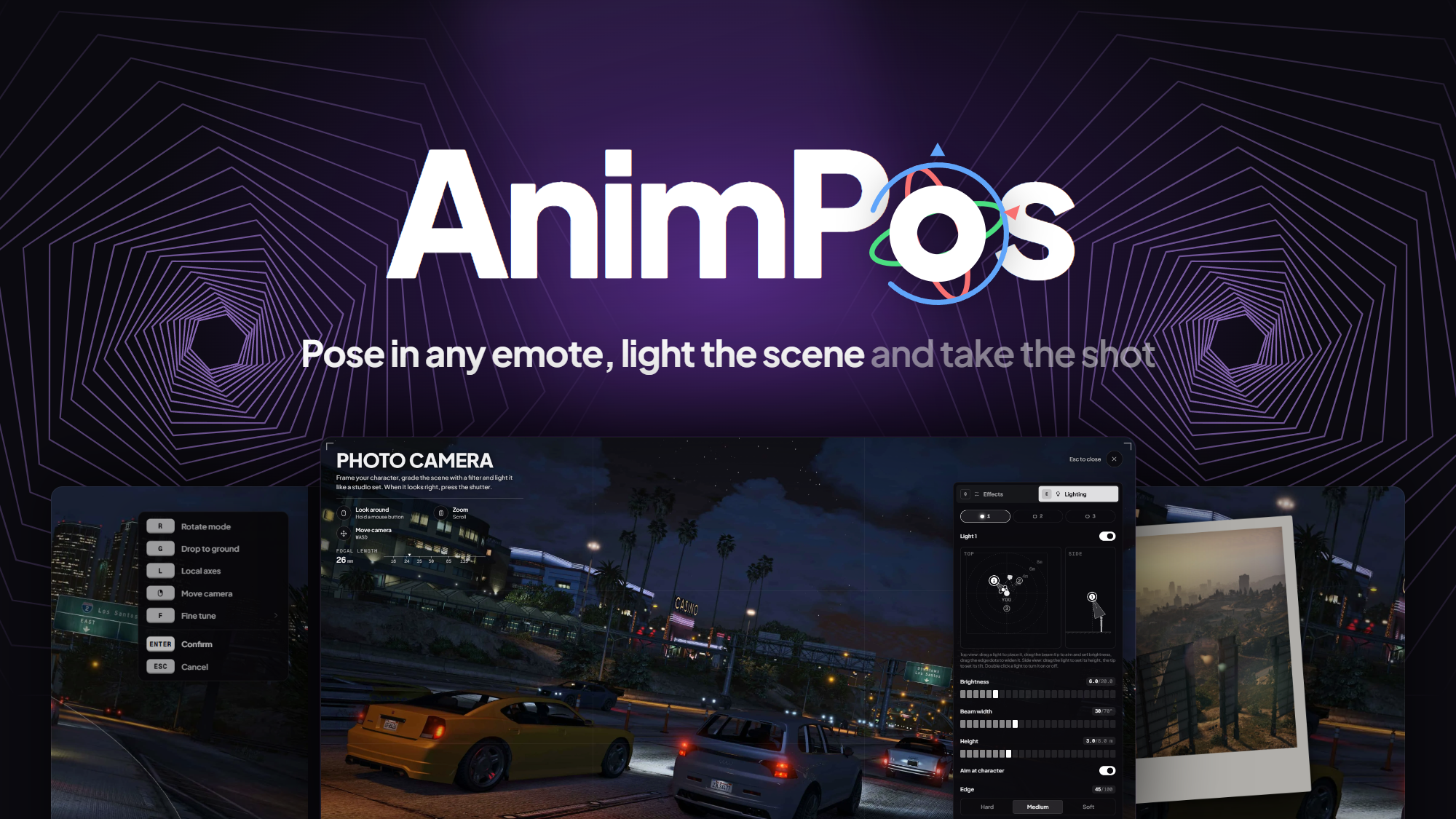
Put your character exactly where the emote should be, then light the scene and take the shot.
Animation positioning and a photo studio in one script. Players start any emote and move or rotate their character with a 3D gizmo, so a sit lands on the chair and a lean lands on the wall. Then a photo camera frames it with 90 filters, depth blur and up to four spotlights, saves the shot and copies the link. Print it as a polaroid and hold it up for everyone nearby to see.
ANIMATION POSITIONING
• Any emote, any menu. Press F5 or type /animpos while an emote plays. rpemotes-reborn, rpemotes, scully_emotemenu, dpemotes and more are detected on their own
• 3D gizmo to move and rotate your character, with a side key card: switch move and rotate, drop to the ground, world or local axes, confirm or cancel
• Fine tune page with live offset and rotation readouts, nudges by the step you pick, a range meter and reset buttons
• Positioning camera you fly with W, A, S, D, turn with the mouse and zoom with the wheel
• Can't be abused to clip. Movement stays within a set distance of where the emote started, and the character goes back when the emote ends
• See-through character with an outline while adjusting, only on your own screen
PHOTO CAMERA
• Orbit camera with mouse look, scroll zoom, W, A, S, D movement on a leash and a focal length readout
• 90 screen filters with search and favourites
• Vignette and depth blur with a focus depth that follows your character
• Up to four spotlights placed on a top and side light stage: height, aim at your character or by hand, tilt, power, beam width, edge softness and colour
• Take photo saves the shot and copies its link. Filters, blur and lights are in the photo, the interface is not
• Hide interface to frame on a clean screen, and your settings kept between openings
POLAROIDS AND FREE CAMERA
• Polaroids: print a shot as an inventory item, using up one blank film. Hold it up, and players nearby see the photo on the print in your hand
• Camera item that opens the photo camera, if you want players to buy or find one
• Free camera: hold V for a cinematic look around your character. It closes on its own when your character goes out of sight
FOR SERVER OWNERS
• Head text above players using a tool: "Adjusting position", "Taking a photo", "In free camera"
• Fight and weapon blocks keep the cameras closed for a while after damage, and the photo camera while a weapon is out
• ACE permissions per tool, with the photo camera checked again on the server for every shot
• Rebindable keys, commands and exports to open and close each tool from your own menus
• Hooks for your notifications, emote menu, HUD, inventory and photo storage
• Your accent colour on every screen. Monochrome white by default, so it fits any server
• Fully translatable, every text is in the locale file
• Every option in config, every one commented
• Server-side checks on every shot and print, rate limits, and a silent console
• No database, nothing to import
FRAMEWORKS
Works on ESX, QBox or a standalone server.
DEPENDENCIES
• ox_lib
• screenshot-basic (to save photos)
• A Fivemanage API key, or your own photo storage through a hook
• ox_inventory (optional, for polaroids and the camera item)
• OneSync
Installs in minutes: drop the folder in, add one ensure line, add your Fivemanage key, and add the polaroid items if you want them.
DOCUMENTATION
https://docs.nervestudios.net/nerve_animpos/overview
SUPPORT
Join the Nerve Studios Discord: https://discord.gg/nervestudios